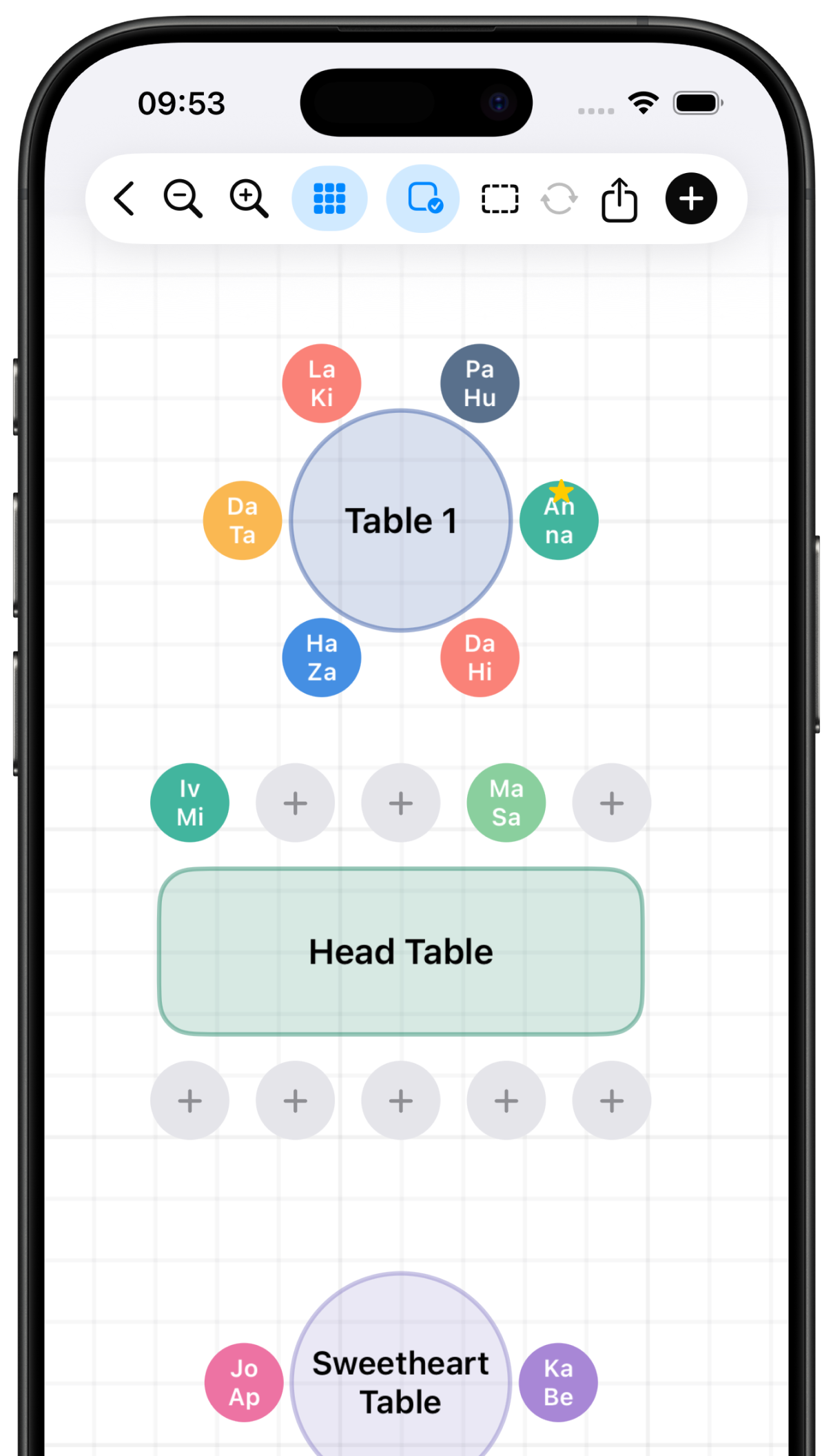
Floor plan canvas
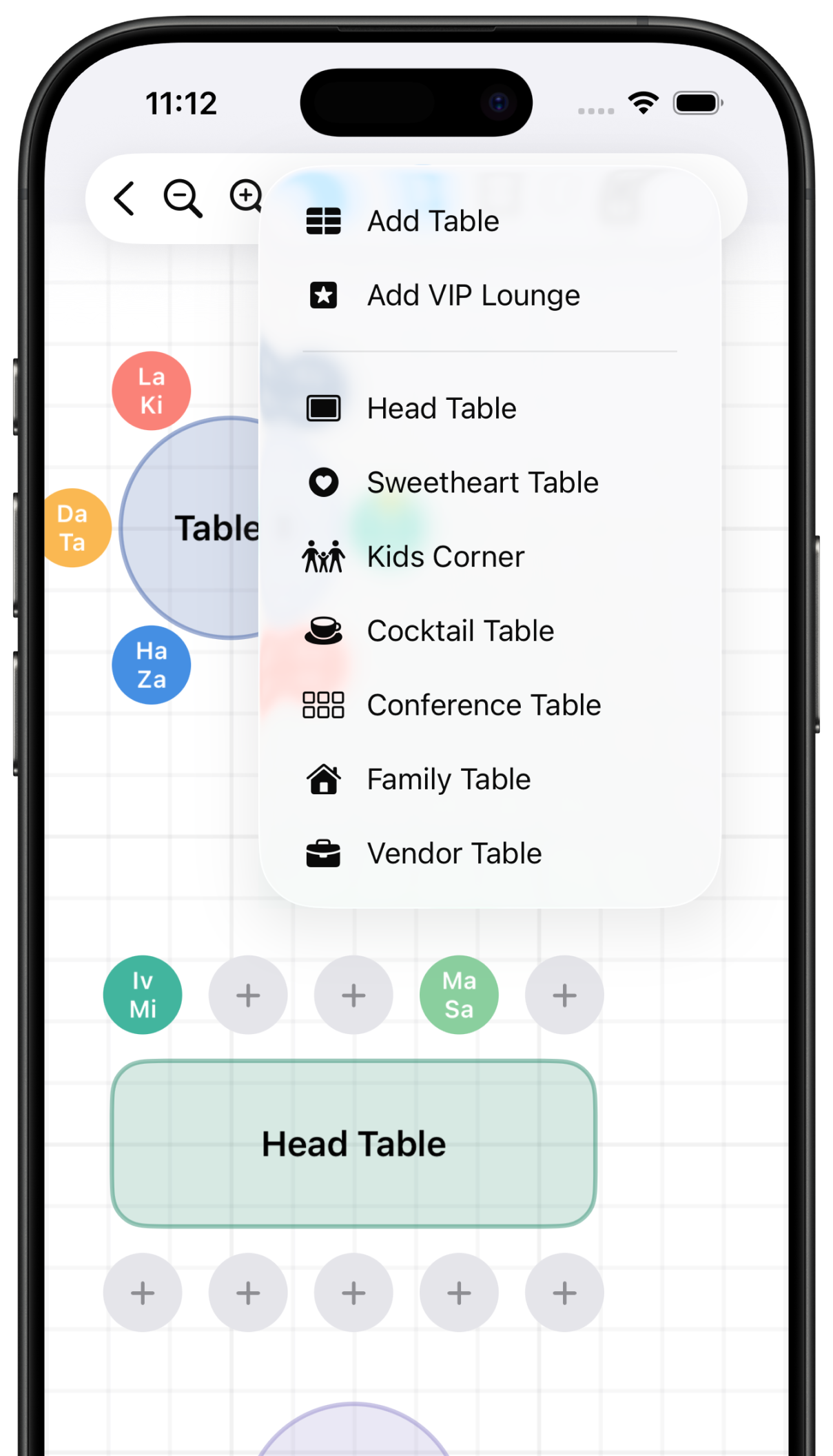
Move tables and guests around the room until the layout makes sense.
 Seatsy


Seatsy - Seating Chart Planner
Build clean seating charts for weddings, classrooms, banquets, conferences, and private events. Add guests, arrange tables, mark VIPs, and keep the whole plan visible.
Inside the app
Move tables and guests around the room until the layout makes sense.
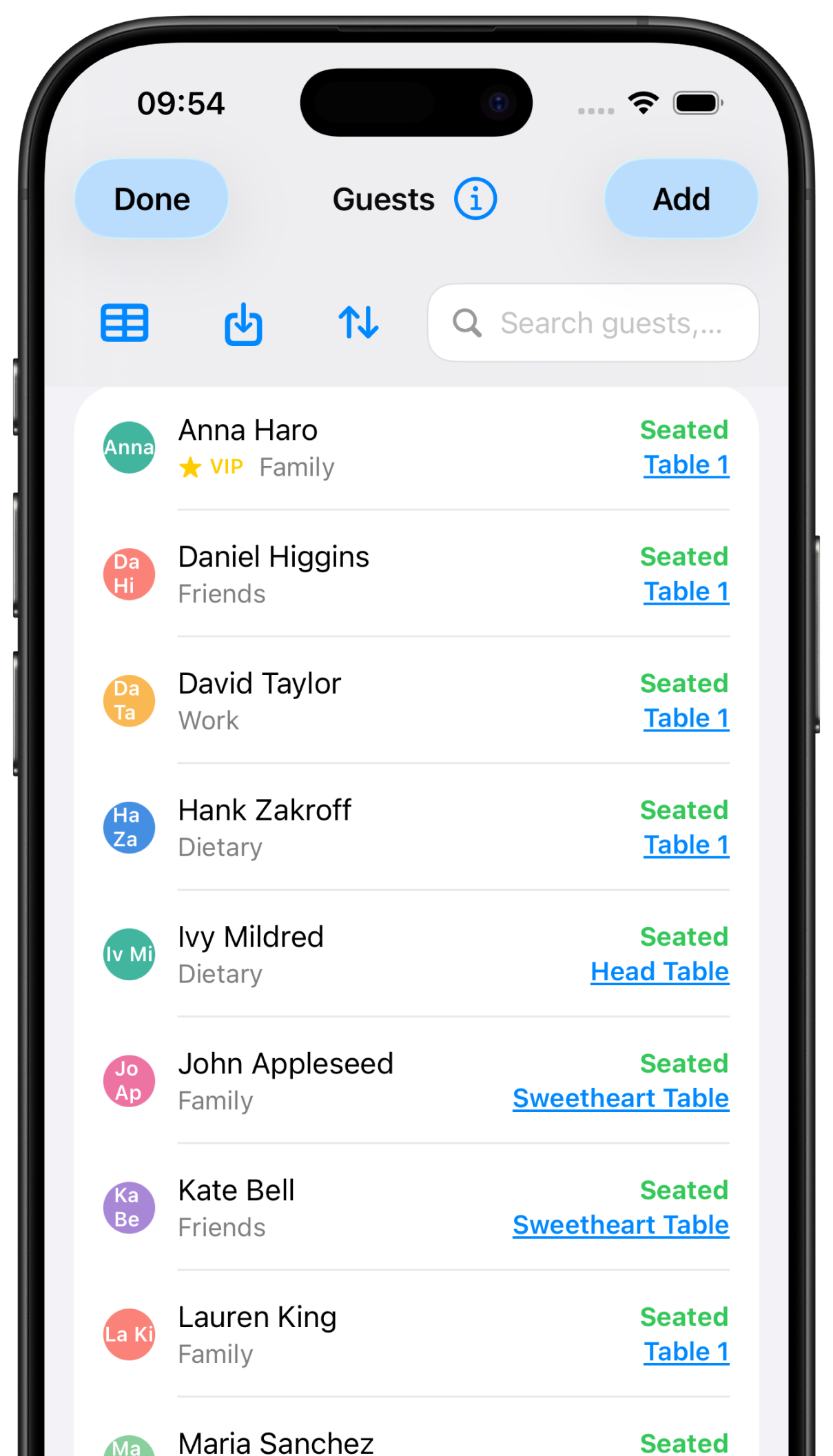
Track each guest, group, note, VIP status, and table assignment.
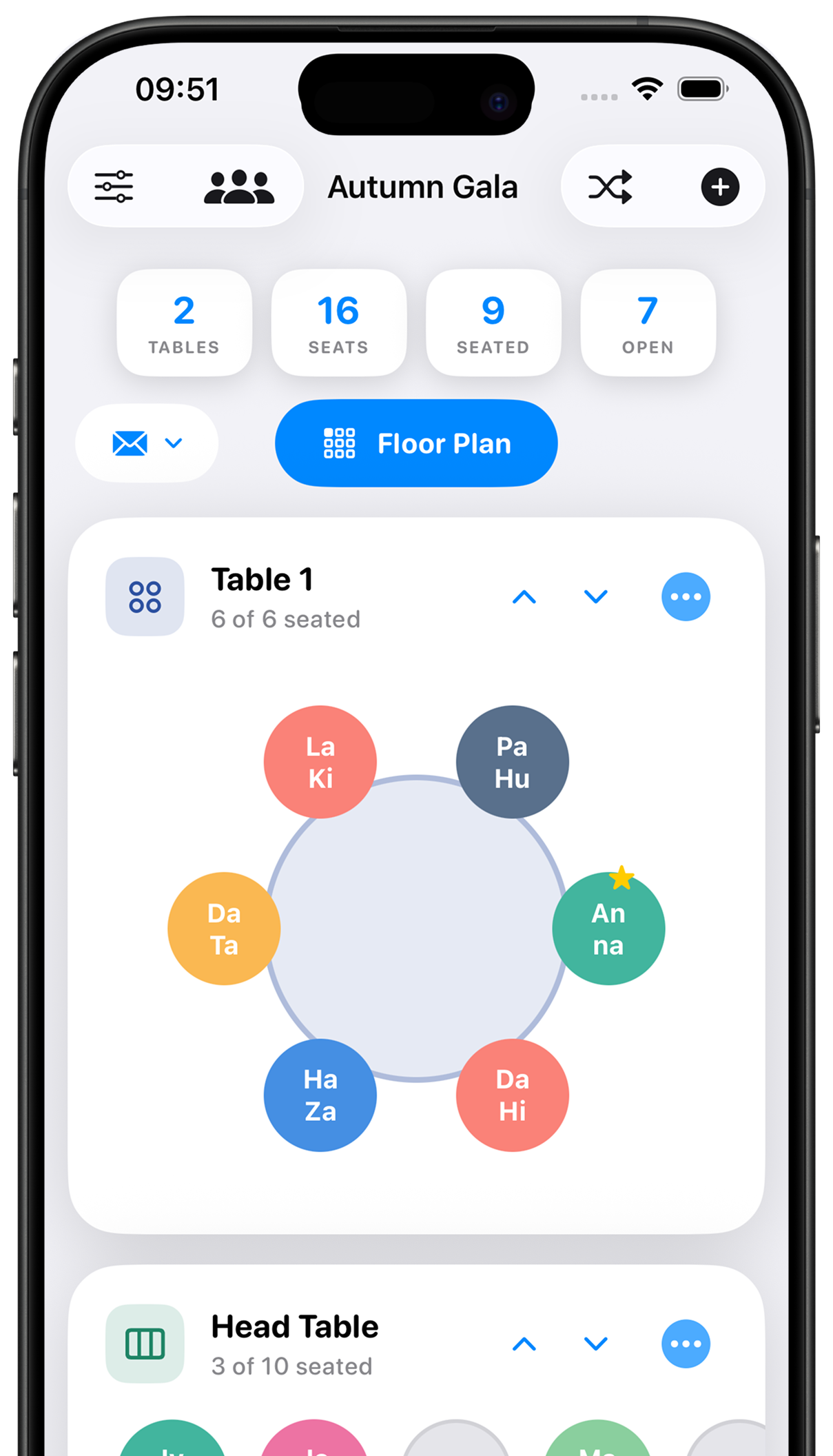
See seated guests, open seats, and table progress from one place.
Built for real events
Seatsy keeps the details practical: guest groups, special notes, open seats, table types, and layout changes stay visible while you work.
Create round tables, head tables, sweetheart tables, kids corners, cocktail tables, conference tables, and vendor tables.
Track each guest by name, group, note, VIP state, and assigned table without losing the big picture.
Use the canvas to see where every table belongs and where open seats remain before guests arrive.
Designed around the planning flow
For many seating plans
Before you download
No. Seatsy is useful for weddings, classrooms, banquets, conferences, fundraisers, private dinners, and any event where assigned seating matters.
Yes. The floor plan canvas lets you place tables and guests so you can see the room layout instead of managing the plan only as a list.
Your seating plans are saved on your device. If you enable iCloud sync, Apple iCloud is used to sync your plans across your Apple devices.
Email info@pipsapps.com and include the event type, device model, and OS version if you are reporting a problem.
Download Seatsy on the App Store or Google Play, or contact support at info@pipsapps.com.